Privacy by design
To suggest a timeslot we only use the information when your existing events start and end. Their titles, notes, locations and attendee lists are never stored in our databases. Our servers are in the EU.
Find a timeslot in one sentence
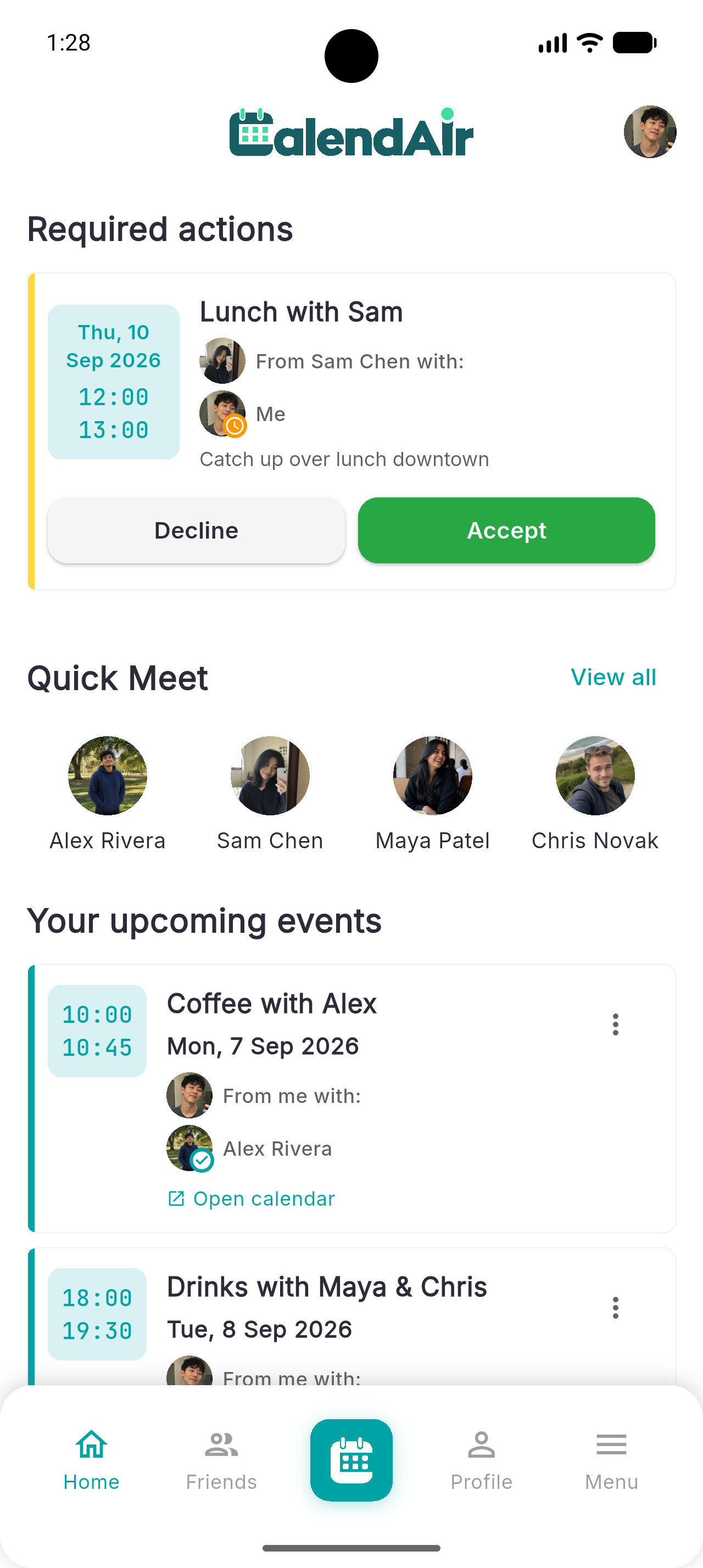
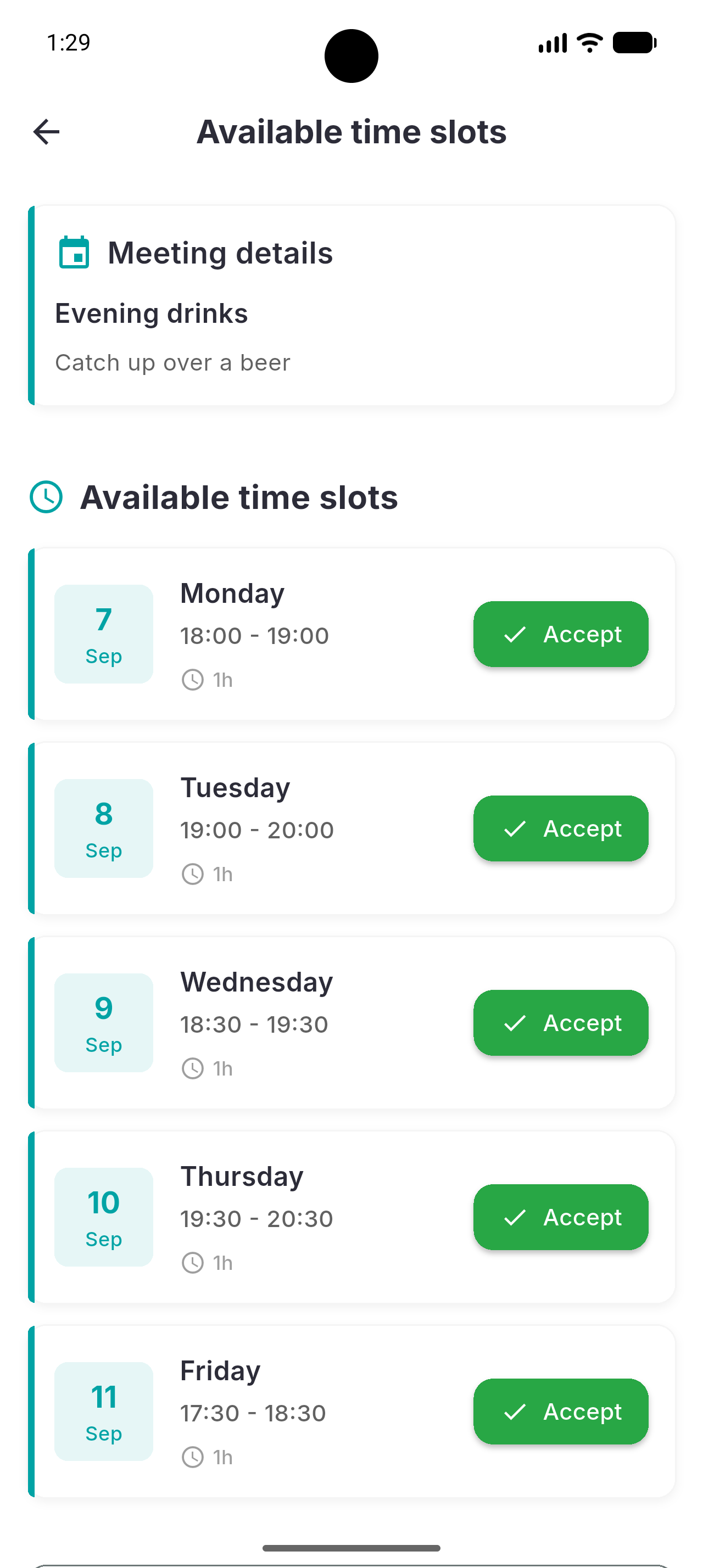
A few details are enough: Who do you want to see, how long do you want to meet, roughly when. CalendAIr checks the connected calendars, offers timeslots that suit everyone, and creates a calendar entry as soon as someone accepts. No group chat, no back-and-forth.


iOS & Android · works with Google Calendar, Outlook or Apple Calendar

Connect Google Calendar, Outlook or Apple Calendar
Choose the one you actually use. Within that account you can then pick which calendar you are using most, up to three of them with Premium.
How it works
No polls, no doodle links, no chasing the one person who never replies.
Connect your Google Calendar, Outlook or Apple Calendar. CalendAIr knows when your events start and end. Everything else stays completely unseen and private. No titles, no descriptions, no details are stored.
Google · Outlook · Apple“Two hours for coffee with Sarah next week” is a complete request. That is everything CalendAIr needs to know.
Find a timeslot with just one sentenceEveryone intived will be given a time that works for everyone. As soon as the first person accepts it, the appointment will be added to the linked calendars.
Real calendar eventsYour request sets the frame: who will be there, how long it should last, and which days are considered. Only with this information will the calendars be compared, and you'll receive suggested dates that work for everyone.
“Two hours for coffee with Sarah next week”
15:00 – 17:00 · free for both
What you get
Coordination that works across every calendar you own, without somebody knowing the details of your calendar.
To suggest a timeslot we only use the information when your existing events start and end. Their titles, notes, locations and attendee lists are never stored in our databases. Our servers are in the EU.
Google Calendar, Microsoft Outlook or Apple Calendar, whichever one you are using on a daily basis. Inside that account you decide which calendars count, so a slot that looks free really is free.
Write it the way you would say it. The AI only ever sees that one sentence. Your calendars, your events and the people you invite are never sent to it.
Connect once using an invitation code, then start right away via Quick Meet. No email chains, no constantly having to add the same people over and over.
Questions
Mostly about data. Fair enough. The full FAQ goes into more detail.
Getting started is simple:
As little as possible, and none of it for advertising. In detail:
What we need at a minimum and where it is stored is answered in the FAQ; the full detail is in the Privacy Policy.
CalendAIr is fully available on iOS (via App Store) and Android (via Google Play Store).
You connect either a Google Calendar, Microsoft Outlook (Office 365) or Apple Calendar, and pick which of your calendars are used for your availability.
Install CalendAIr, connect your calendars and let the next meetup sort itself out.